 Ledge Tools
Several Macs that feel like one
Settings you change and text you copy on one Mac show up on the others. Your data lives where you choose; it never passes through our servers.
Sync is a Pro feature, included in every Pro option at no extra cost.
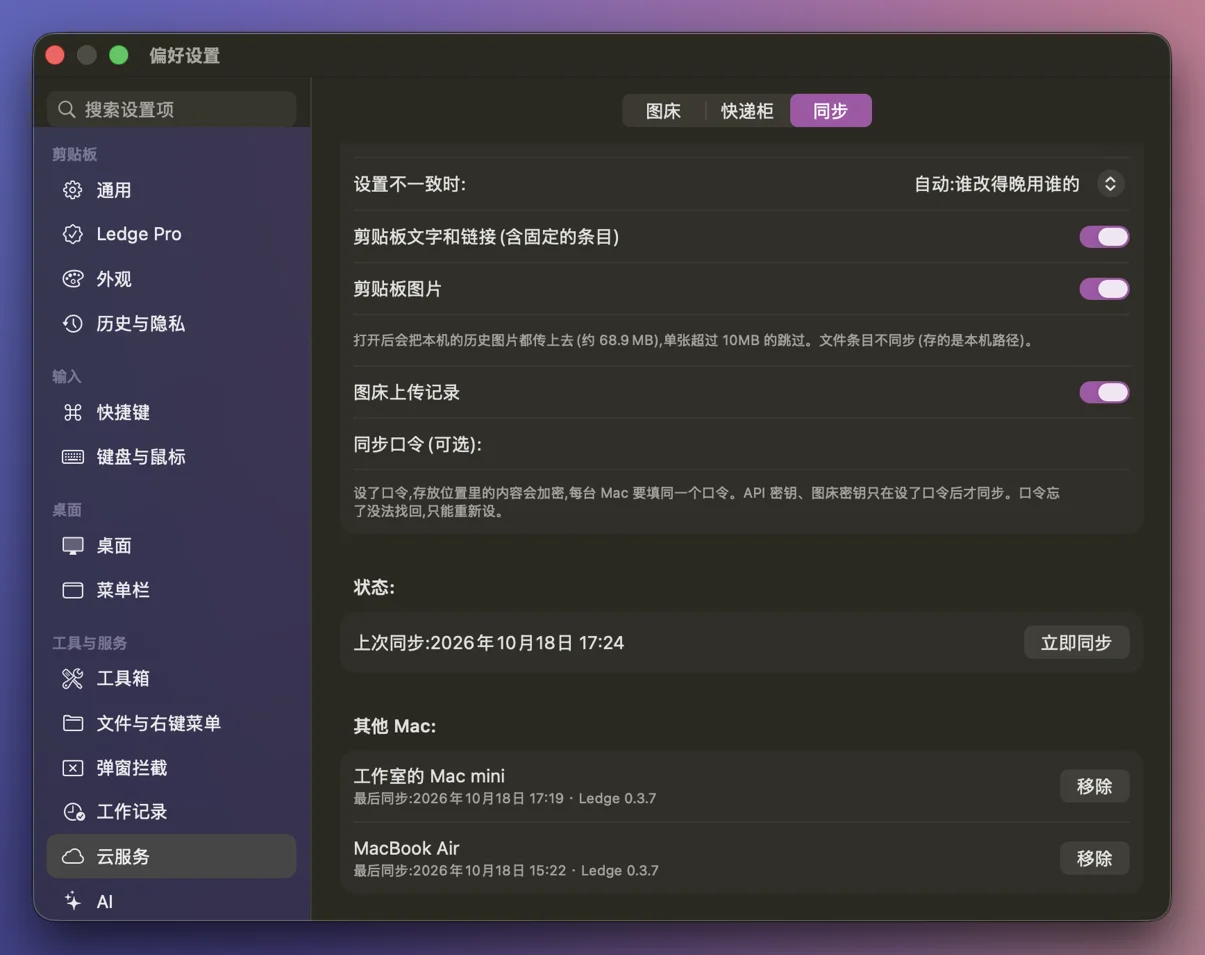
What syncs
| Data | Synced? | Notes |
|---|---|---|
| Settings (shortcuts, pop-up rules, AI actions, image host setup, Finder commands…) | Yes | Can be turned off |
| Clipboard text and links | Yes | Deleting on one Mac deletes everywhere |
| Image upload history | Yes | Thumbnails are not uploaded |
| Clipboard images | Optional, off by default | Images over 10 MB are skipped; not supported on GitHub Gist |
| Files on the clipboard | No | They point to paths on this Mac only |
| Work journal, traffic stats, battery settings, keyboard/mouse pairing, Hosts | No | Tied to each Mac |
Settings, clipboard text, clipboard images and upload history each have their own switch.
Where it's stored
Pick one. Data only moves between your Macs and the place you chose.
| iCloud Drive | WebDAV | GitHub Gist | |
|---|---|---|---|
| Setup | Nothing to enter | Server address, account, app password | A token with gist access |
| Clipboard images | Yes | Yes | No |
| Good for | Macs on the same Apple Account | If you'd rather not use iCloud | Text and settings only |
The iCloud option is really "a folder that syncs itself", so a Dropbox folder works too.
Optional encryption
Set a sync passphrase and every synced file is encrypted; each Mac needs the same passphrase. Without one, sensitive settings such as API keys are not synced.
Conflicts
By default the latest change wins. You can also choose manually, or make one Mac "upload only".
Who can use it
Pro users. Activating your license is enough, no separate account needed. Sync isn't available during the trial.
FAQ
How fast does it sync?
Not instantly. Ledge syncs at launch, every 5 minutes and 30 seconds after you stop making changes; iCloud itself can add seconds to minutes. For copy-here-paste-there right away, use keyboard and mouse sharing.
What about an old Mac I no longer use?
The device list in settings shows when each Mac last synced. Click "Remove" next to it to delete its files.
I forgot my sync passphrase.
It can't be recovered. Set a new one on each Mac and the data is written again.
Will I lose data if sync stops?
No. If sync stops (refund, signed out, etc.), nothing is deleted on your Mac or in your storage.
Does sync cost extra?
No, it's part of Pro. Storage is your own iCloud, WebDAV or Gist.